01 / Explore
Find your way, even offline.
Search for your resort, inspect piste and lift details, and download your mountain before you go. Keep the map available when reception drops.
SkiMap brings 3D ski maps, GPS tracking and group location sharing to iPhone and Android. Find your resort, download your map and record your runs.
SkiMap: 3D ski maps, GPS tracking and your friends on the mountain. For iPhone and Android.


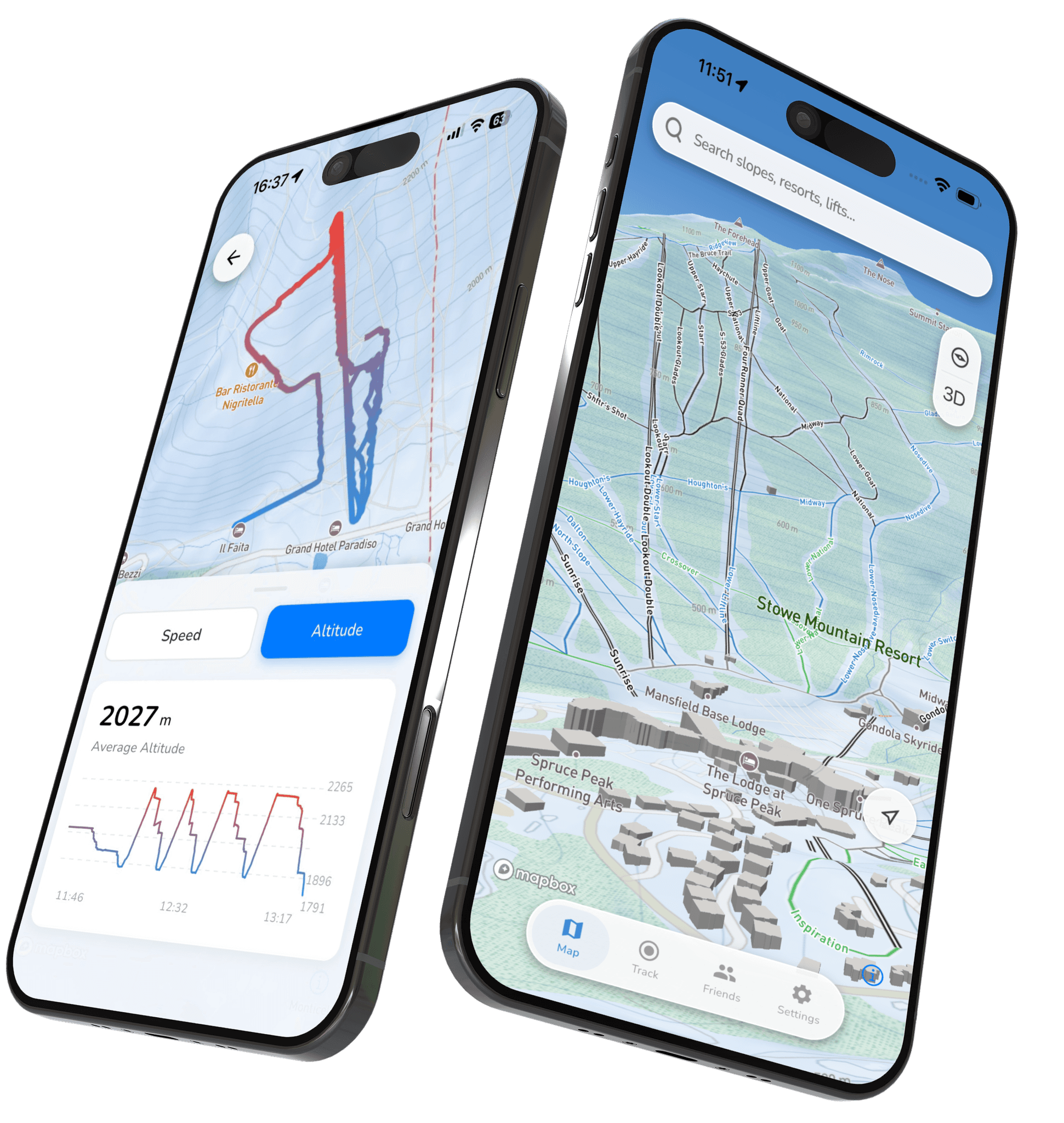
 Offline 3D MapTrack Stats about your day
Insanely helpful. You actually understand where you are and where runs connect.
 Thomas K.St. Anton am Arlberg, AT
I mainly wanted to track my runs. Ended up checking stats, max speed, vertical, everything.
 Camille R.Courchevel, FR
Vail is massive and it’s easy to lose track of where you’ve been. SkiMap made it obvious which areas I’d skied and which ones I still hadn’t touched.
 Alex M.Vail, CO
I skied Snowmass one day, Highlands the next, and still had everything cleanly separated. Having all four Aspen mountains in one app just works.
 Rachel L.Aspen Snowmass, CO
Spotty signal in Zermatt. SkiMap didn’t care!
 Daniel H.Zermatt, CH
Offline mode alone makes this worth it. I skied two full days in Cortina with zero signal and still had all my tracks and stats saved perfectly.
 Luca B.Cortina d’Ampezzo, IT
Less figuring it out. More skiing.
01 / Explore
Search for your resort, inspect piste and lift details, and download your mountain before you go. Keep the map available when reception drops.
02 / Record
Automatically track runs and lifts. Review speed, distance and vertical, then keep the session in your ski history.
03 / Share
Create a group and share the code with your crew. See shared positions while connected and make meeting back up easier.
Yes—download your resort map before heading out and keep it available when reception drops. New downloads, cloud syncing and live friend updates need a connection.
Yes. Create a group, share the invitation code and see your friends’ shared positions on the map. Everyone needs the required location permissions and a connection for live updates; offline phones may show their last position.
Record your route and review ski statistics such as distance, speed, altitude and time. Location access is needed for recording; background location allows a recording to continue when your screen is locked.
Yes. Use the App Store for iPhone or Google Play for Android. The store listing shows device compatibility, current availability and the version available to you.
SkiMap offers full access to maps, tracking and social features through a subscription or available trial. Open the app to see the current plans, price and trial terms for your device and region.
Manage a subscription through the store where you bought it. Use the account-deletion option in SkiMap or the deletion-request page below to request removal of your account and associated data. Deleting the app or account does not cancel a store subscription.
Your next ski day starts here
Get SkiMap for iPhone or Android.
The SkiMap guidebook